

A Savings Tracker That Records What You Moved, Not What You Meant To
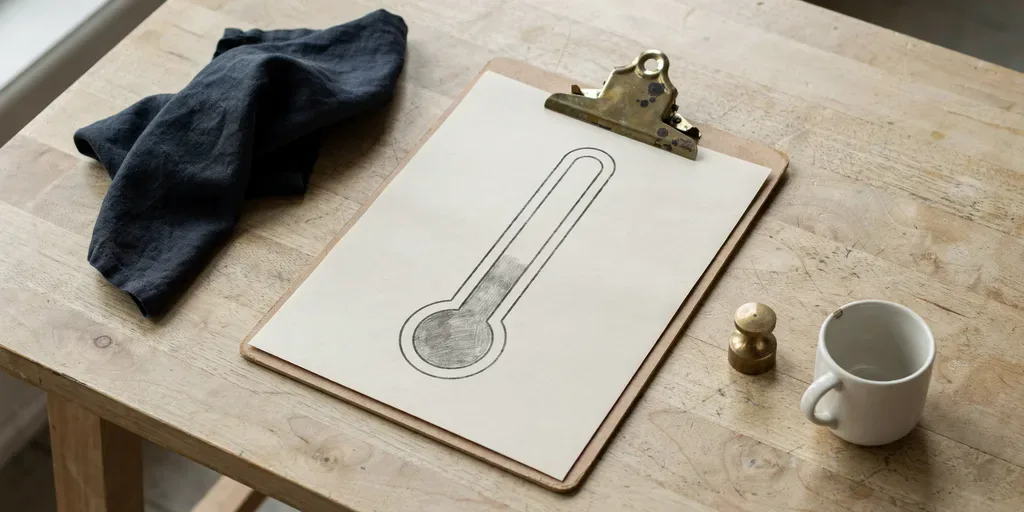
A savings tracker is a picture of progress toward a goal. It can be a thermometer outline you color in, a grid of boxes or a simple table. People use them because a goal of $3,000 feels far away, and a tracker that’s one-fifth shaded makes it feel possible.
Trackers work only if they’re honest. The most common mistake is shading in what you planned to save instead of what you actually moved. This article covers how to set one up so it stays accurate.
A Savings Tracker Is Only Useful If It’s Accurate
The rule: you shade a section only after the money has left your checking account and arrived in savings. Not when you decide to save it, not when you skip a purchase. A tracker that reflects intentions looks good and leaves the account empty.
1. What a savings tracker is for
A tracker does two things. It makes progress visible, which keeps you going. And it shows quickly when you’ve fallen behind, so you can adjust before the deadline. It doesn’t replace a budget; it sits next to one, tracking a single goal.
2. Pick one goal
Trackers work best with one goal at a time: an emergency fund, a car repair fund, a holiday budget, a trip. Give it an amount and a date. “Save $1,500 for an emergency fund by June 30” is a goal. “Save more” isn’t.
If you have several goals, use one tracker per goal, but start with the most important one.
3. Break it into small pieces
Divide the goal into sections you can fill within a week or two. A $1,500 goal over 26 weeks is about $58 a week; a tracker with 30 sections of $50 each is easier to read. Small sections fill often, and frequent progress keeps motivation up.
4. Track what you move, not what you mean to
Shade a section only when the transfer shows in your savings account. If you skip a coffee to “save” $5, that money is still in checking until you move it. Many people set up a small transfer the same day, which turns small decisions into real savings.
5. A tracker for a savings account
For most goals, the money belongs in a separate savings account, ideally one that pays a competitive interest rate. Set an automatic transfer for each payday and shade the tracker when it arrives. Some banks let you name sub-accounts after the goal, which makes it easier to resist spending.
6. A tracker for cash
Some people use cash envelopes for short-term goals like holiday spending. A cash tracker works the same way: shade a section when the cash goes into the envelope. Keep large amounts in a bank rather than at home, and move cash into savings once it builds up.
7. Put it where you look every day

A tracker in a drawer gets forgotten. Put it on the fridge, a cork board, the inside of a closet door or next to your desk calendar. If it’s digital, make it the first page in your notes app.
Review it on the same day you do your weekly budget check-in.
Three Tracker Designs
Different trackers suit different goals:
Thermometer. A tall outline divided into sections, colored in from the bottom. Best for one large goal over several months, like an emergency fund. Easy to read from across the room.
Grid of boxes. Rows of small squares, each worth a fixed amount. Best for goals that grow with regular deposits, like $25 a week. Satisfying to fill one box at a time.
Table. A simple table with date, amount moved and running total. Best for people who prefer numbers to pictures, or for tracking several goals on one page.
Whichever design you choose, write the goal amount and date at the top, and the amount each section represents. A tracker without numbers is just a coloring page.
Our free budget planner page can sit next to it on the fridge.
What We Would Skip
Shading in amounts you intended to save.
Tracking five goals at once when you’re just starting.
Trackers that need you to calculate something every day.
Keeping a tracker that’s been stuck for months. Reset the goal or the date instead.
Where We Would Start
One goal, one printable tracker, one automatic transfer each payday. An emergency fund is the most common first goal. For ready-made charts, see our money saving challenge article.
Questions We Get Asked
What is a savings tracker?
A chart or table that shows progress toward a savings goal, filled in each time money is moved to savings.
How do I use a savings tracker?
Set a goal and a date, divide it into small sections, and shade a section only when the money arrives in savings.
Are savings trackers effective?
They help many people stay motivated by making progress visible, especially for goals that take months.
Should I use a paper or digital savings tracker?
Either works. Paper on the fridge is seen more often; digital updates automatically.
What should my first savings goal be?
For most people, a starter emergency fund, often $1,000 or one month of essential expenses.
What is the best savings tracker design?
A thermometer for one big goal, a grid for regular fixed deposits, and a table if you prefer numbers or track several goals.